Business problem
Growth in an existing account depends on the account owner knowing what the customer cares about: What they bought into, what the previous owner learned, and when they ask about another product. That context sits in calls and in the previous owner's head, so the next person finds out late.
Keep customer accounts growing with agents
Build agents that run on their own when a deal closes won, an account changes owner, or a customer shows interest in another product. Each one emails the account team what the customer cares about and where to start.
Quick start
1Pick your starting point. Use a Gong template, or start from scratch.
2Choose when it runs. Pick the moment that starts it, like a deal closing or a renewal coming up.
3Tell it what to do. Write the instructions, and choose who gets the result.
4Turn it on. From then on, it does the work every time.
Know before you build
Required permissions: Manage company agents, skills and automations. To create a tracker for the expansion agent, you also need Manage AI Tracker settings.
Credits: The Generate with AI step uses Gong credits each time it runs, and so does an AI tracker trigger. The Send an internal email step doesn't.
Recipients: In the Recipients field, first choose a kind (CRM role, Manager of CRM Role or Team member), then select the CRM field or team member. If the person in the CRM field has no match in Gong, or the CRM field is empty on the record, the run fails and nothing is sent.
For step-by-step instructions, see Create an automated agent.
Account agents
Each agent starts at a different moment in a customer account. Select one below to see what it does, when it runs, and how to set it up.
Start with a Gong template
Gong prepared the template, and you can adjust it to match your settings.
Sales-to-CS handoff
Brief the person taking over an account when a deal closes won.
Brief the person taking over an account when a deal closes won.
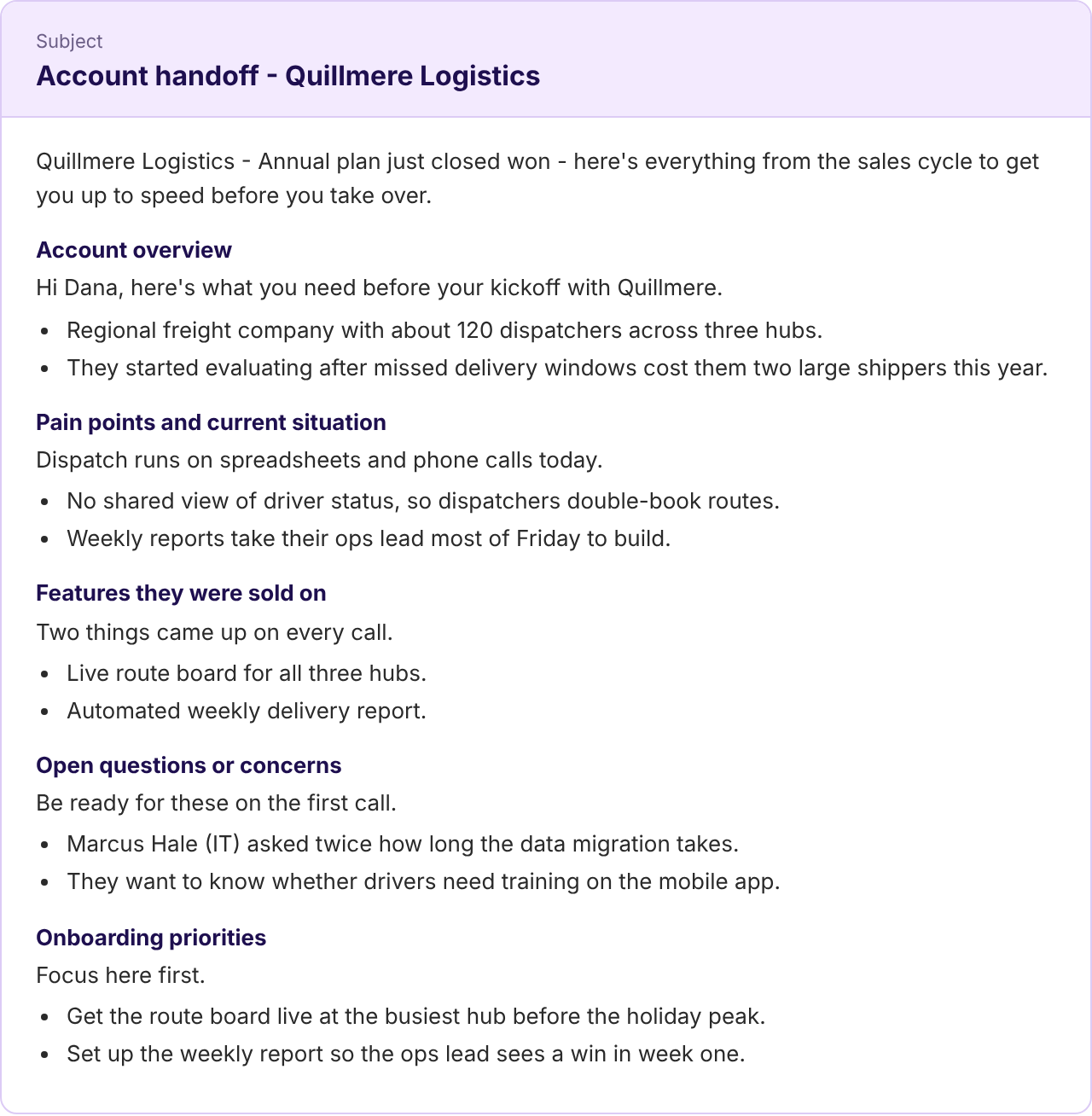
When a deal's stage is updated to won, the agent looks at the calls and emails it can access for the account, then sends the person taking over a handoff brief: An account overview, the pain points before signing, the features the customer was sold on, open concerns, and the two or three onboarding priorities to start with. If it finds no calls, the brief says so.
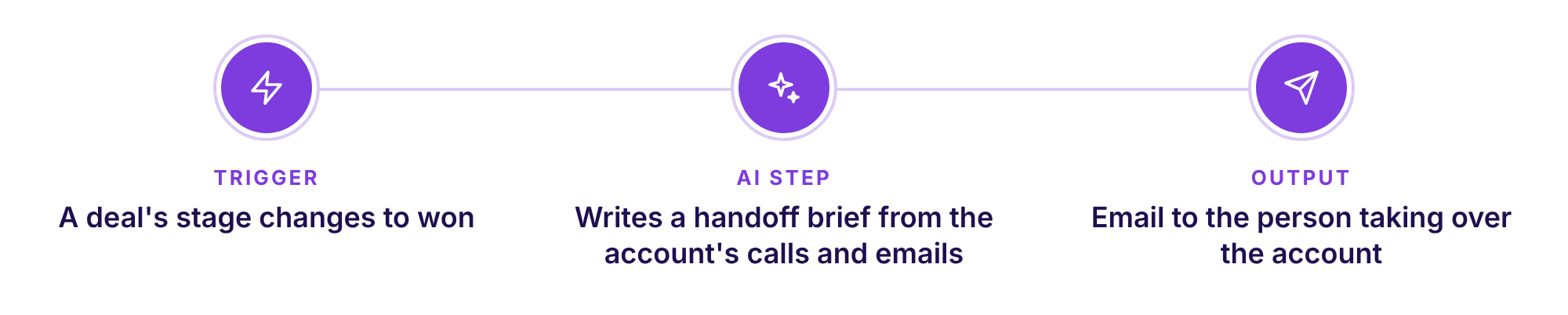
Trigger: A deal's Stage is updated, for deals that are won
Notify: The person taking over the account, by email
Example output: The email the agent sends
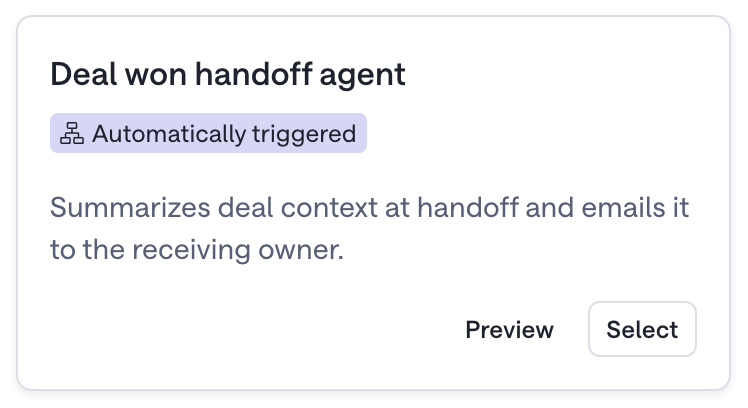
Template: Go to New agent and select the Retention category. Find the Deal won handoff agent template.
After you select the template, check the following:
Recipient: The template has no recipient, and the agent can't be saved until you add one. Select the person taking over the account, not the opportunity owner. In Recipients, choose CRM role and select CSM.
Which CSM: The list has two CSM fields, one under the opportunity and one under its parent account. Select the one your CRM fills in.
Won filter: On Salesforce, the template filters to deals where Won is true. On HubSpot and Dynamics, it looks for a stage named "Closed Won". If your stage has another name, the filter comes out empty and the agent runs on every stage change. If it's empty, add a filter for your won stage.
When it runs: The agent runs when the Stage changes. A deal that is created already won doesn't start it. If a deal is reopened and won again, the agent can run again.
Build it yourself
You can set these agents up yourself using the triggers and instructions provided.
Account transition brief
Give the new account owner a brief of the account when it changes owner.
Give the new account owner a brief of the account when it changes owner.
This agent starts when an account's owner changes. Using the calls and emails it can access for the account, it sends the new owner a brief for their first conversation: The business, the pain points before signing, the features that resonated, the open concerns, and the priorities for the first touchpoint.
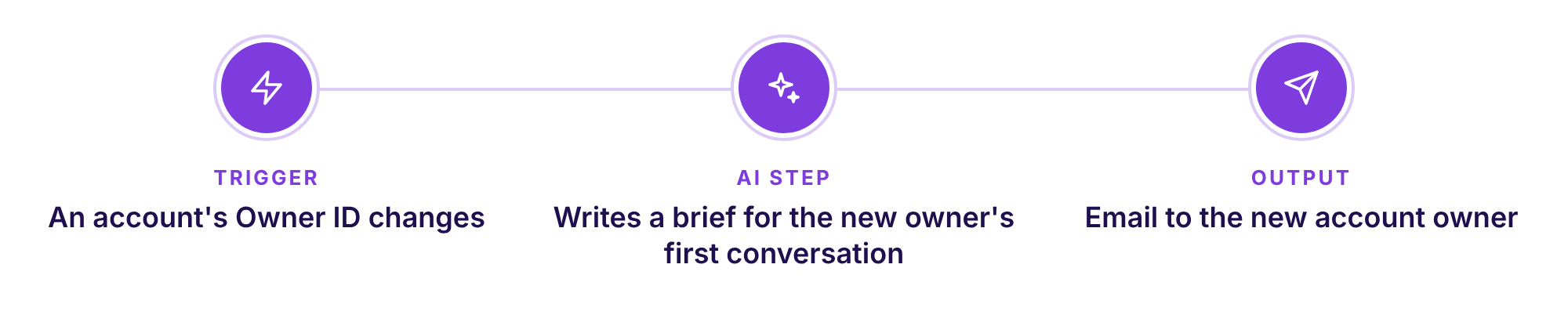
Trigger: An account's Owner ID is updated
Notify: The new account owner, by email
Example output: The email the agent sends
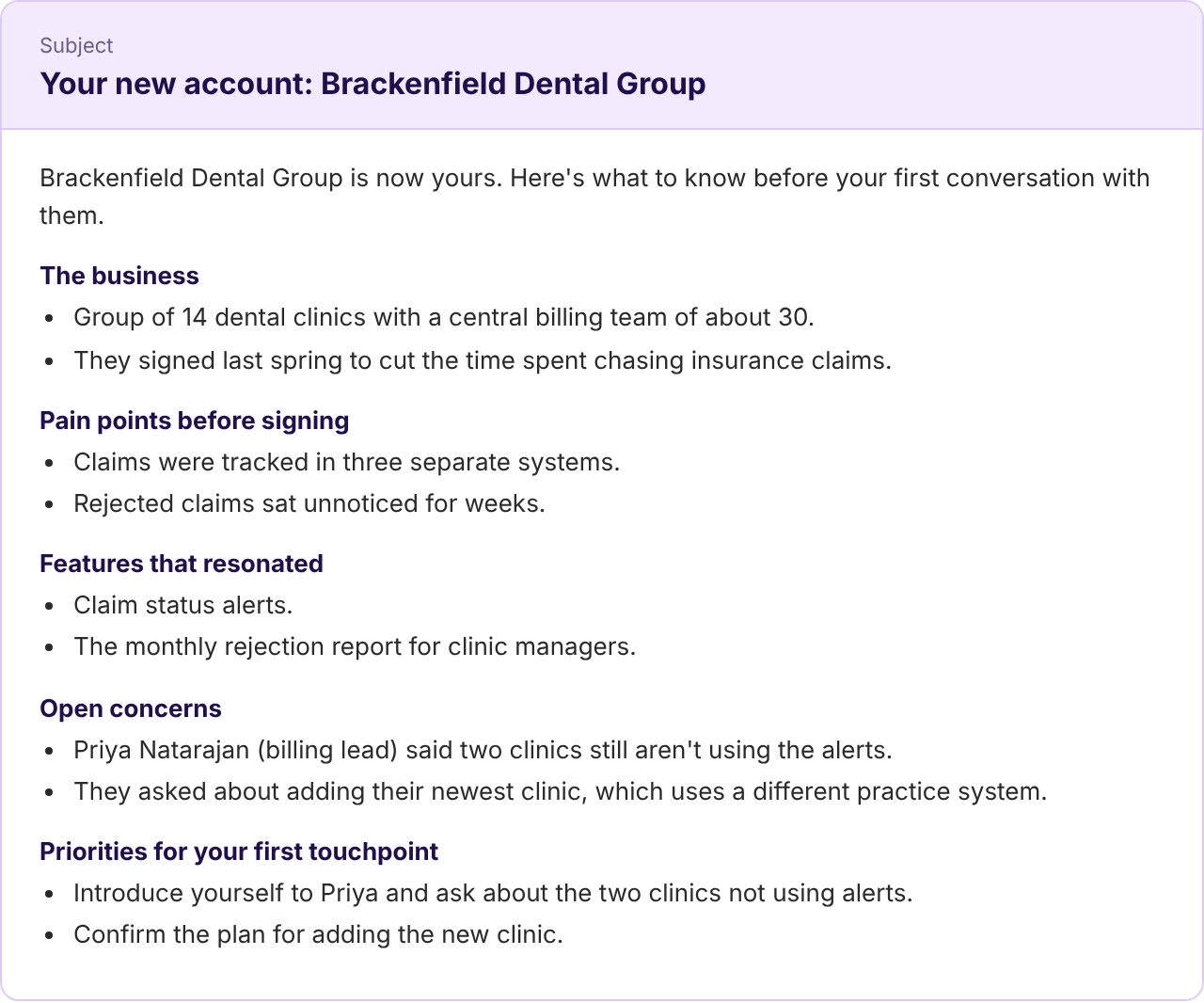
Set up the agent:
Trigger: Choose CRM change and the event An object is updated. In the Object dropdown, select Account, and in the field dropdown, select Owner ID. Don't select Ownership, which is a different field.
Recipient: In Recipients, choose CRM role and select Owner ID. The chip reads Account Owner ID. Gong looks up the owner when the agent runs, so the email goes to the new owner. You can't send to the previous owner.
Owner names: The agent receives the previous and new owners as IDs, not names, so the brief can't name them.
Territory moves: Moving many accounts at once starts one run per account, and each run uses credits. When your company runs out of credits, the remaining runs fail.
Instructions: In the Generate with AI step, paste the following text into the Instructions field.
You are an account transition specialist. Your goal is to prepare the next person on this account to run a confident first session without reading every past call themselves.

Analyze all calls and demos for the account.

Summarize the business, team size, and what prompted them to evaluate, in 2-3 sentences.

List the pain points and current situation that existed before signing.

List the specific features that resonated or were demoed.

Flag open questions or concerns the next person should be ready to address.

Recommend the 2-3 highest-impact priorities for the first touchpoint.
Expansion opportunity capture
Tell the account owner and their manager when a customer shows interest in another product.
Tell the account owner and their manager when a customer shows interest in another product.
A call that matches your expansion tracker starts this agent. It reads the matching call alongside the other calls and emails it can access for the account, then sends the account owner and their manager the expansion angle and a next step: What the customer said, the product they showed interest in, the timing, who raised it, and one action for this week. If it finds no call evidence, it says so.
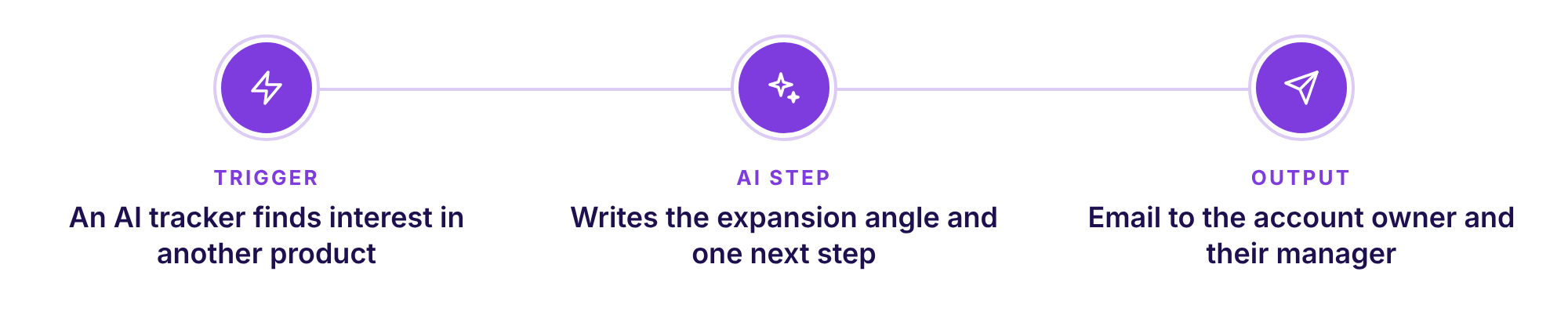
Trigger: An AI tracker for interest in another product matches a call
Notify: The account owner and their manager, by email
Example output: The email the agent sends
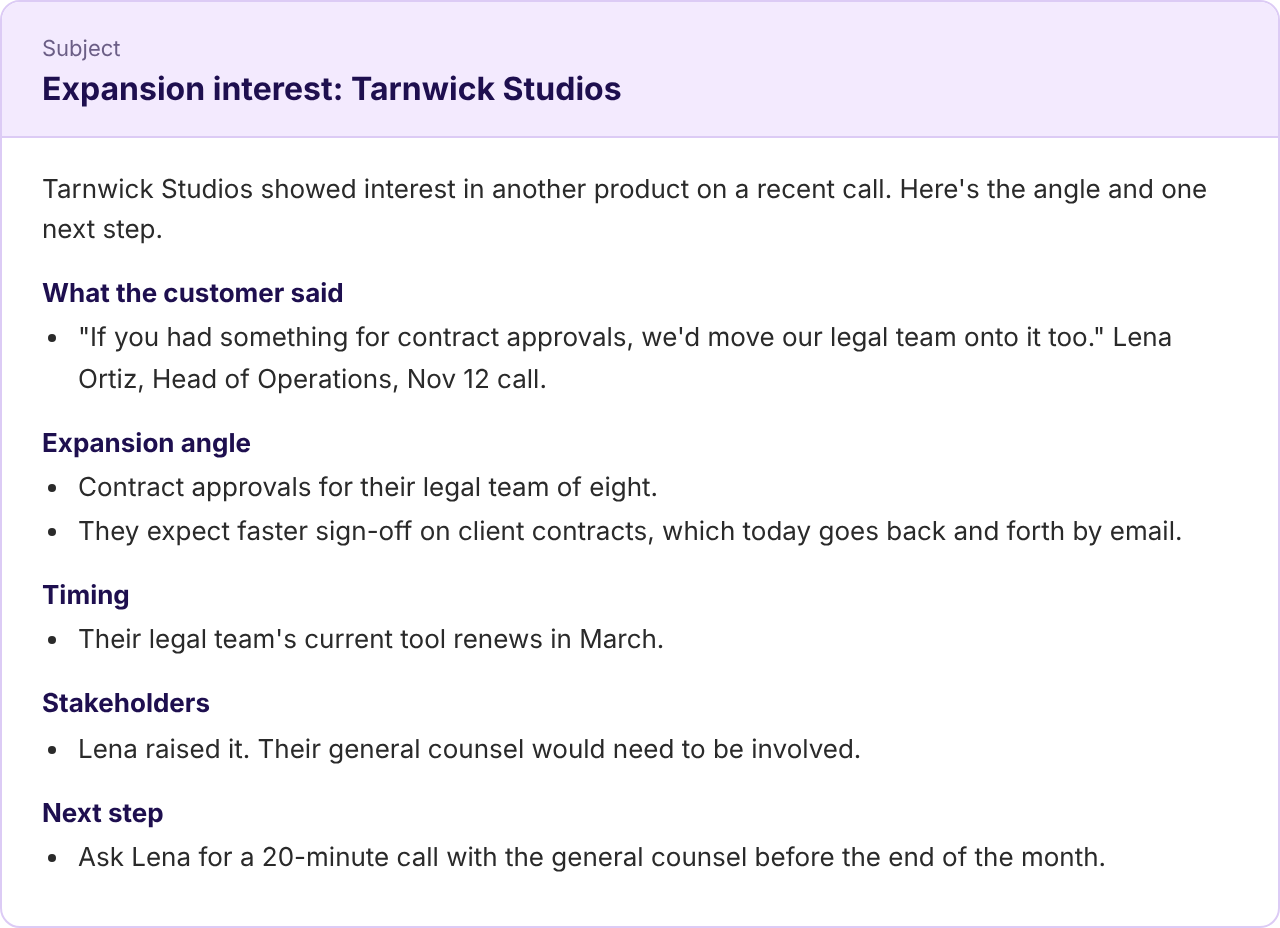
Set up the agent:
Tracker: Choose AI tracker as the trigger, click Select AI tracker, and select a tracker that detects interest in another product. If your company doesn't have one, create it first. There is no template for this agent.
Which calls: The agent has no setting for customer calls only. The tracker's own filters determine which calls start it, and you change them in the tracker, not in the trigger.
Recipients: In Recipients, choose CRM role and select Owner ID. Then open Recipients again, choose Manager of CRM Role, and select Manager of Owner ID. The chips read Account Owner ID and Manager of Account Owner ID.
Calls without an account: The recipients come from the call's CRM account. If the call doesn't map to a single account, the run fails and nothing is sent.
Manager: The manager comes from the Gong hierarchy. If the owner has no manager there, the run fails.
Instructions: In the Generate with AI step, paste the following text into the Instructions field.
Role: You are helping the account owner act on a customer's interest in another product.

Use only: The call that matched, and the calls and emails for this account. If no call evidence is found, output "Insufficient call evidence: no calls found for this account" and stop. Don't invent details.

1. What the customer said: A short quote that shows interest, with the call date and who said it.
2. Expansion angle: The product or use case they showed interest in, and the value they expect from it, in their words.
3. Timing: Any date, event or deadline they mentioned. Write "none mentioned" if there is none.
4. Stakeholders: Who raised it, and who else would need to be involved.
5. Next step: One specific action for the account owner to take this week.

Format: Use a heading for each section with bullets underneath. Keep it under 250 words.

Tone: Clear and practical.

Do not: Promise pricing, discounts or a delivery date.
Tip:
Looking for agents for other teams? The Custom Agents prompt library in Gong Academy has more agents, with instructions you can paste.