Business problem
Customers often show they are at risk on calls the account owner doesn't attend, so the owner hears about it late, at the renewal, when there is little time to act.
Catch churn risk early with agents
Build an agent that listens to every customer call and sends the account owner the customer's own words, how serious the risk sounds, and one next step.
Quick start
1Pick your starting point. Use a Gong template, or start from scratch.
2Choose when it runs. Pick the moment that starts it, like a deal closing or a renewal coming up.
3Tell it what to do. Write the instructions, and choose who gets the result.
4Turn it on. From then on, it does the work every time.
Know before you build
Required permissions: Manage company agents, skills and automations; Manage AI Tracker settings
AI tracker: A published tracker that detects the moment the agent describes. To learn how to create one, see Create AI trackers.
Credits: The AI tracker trigger and the Generate with AI step use Gong credits each time they run. The Slack message and email don't.
For step-by-step instructions, see Create an automated agent.
Note:
The agent runs on every call your tracker matches. To limit which calls start it, for example to calls with customers, set the tracker's filters.
Churn risk agents
Each agent watches customer calls for a different warning sign. Select one below to learn when it runs, and how to set it up.
Start with a Gong template
Gong prepared the template, and you can adjust it to match your settings.
Churn risk save plan
Alert the account owner when a customer signals they may churn.
Alert the account owner when a customer signals they may churn.
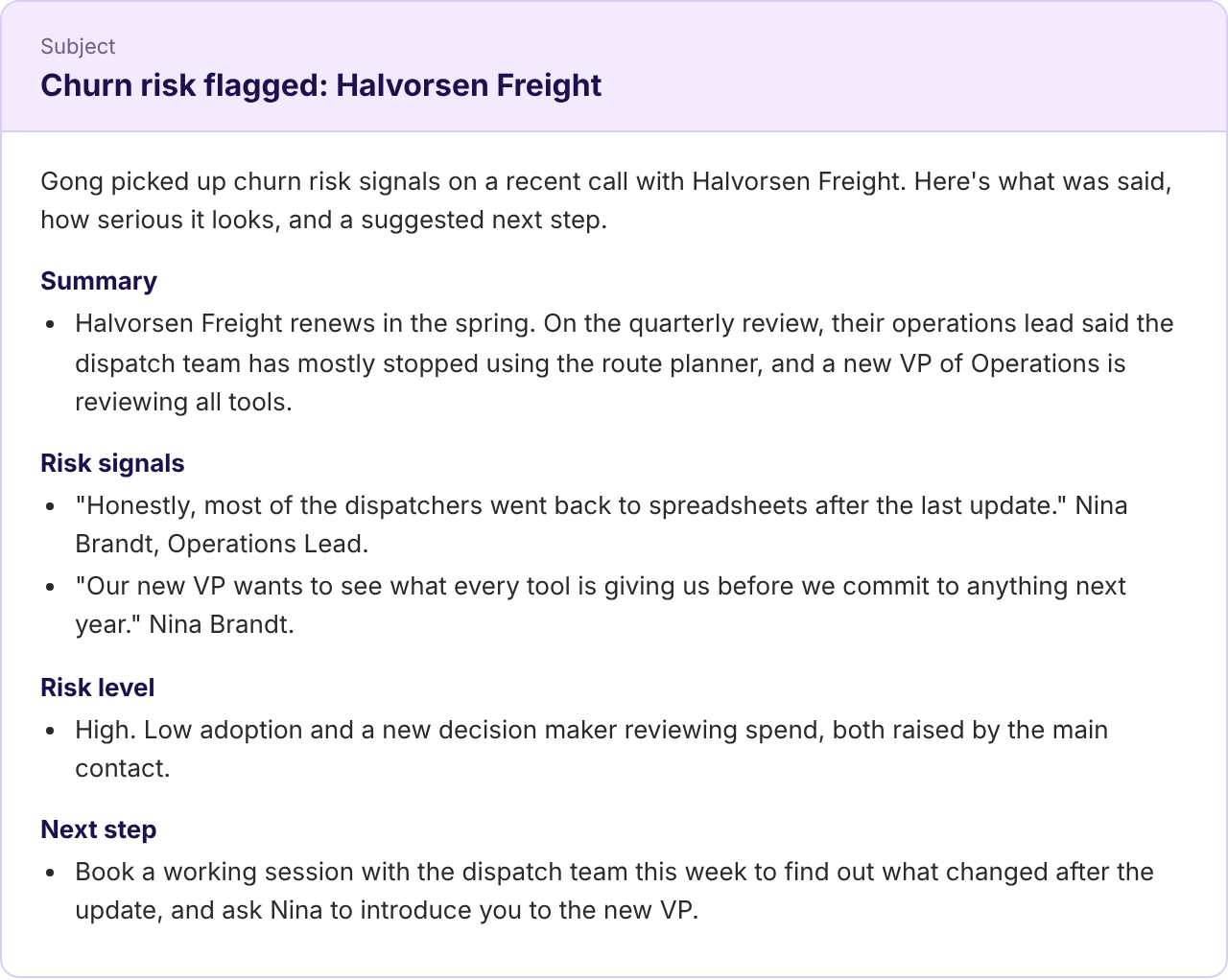
When your churn risk tracker matches a customer call, the agent looks at the call and emails the account owner a short summary, the risk signals in the customer's own words, a risk level of High, Medium or Low, and one next step for this week.

Trigger: An AI tracker that detects churn language
Notify: The account owner, by email
Example output: The email the agent sends
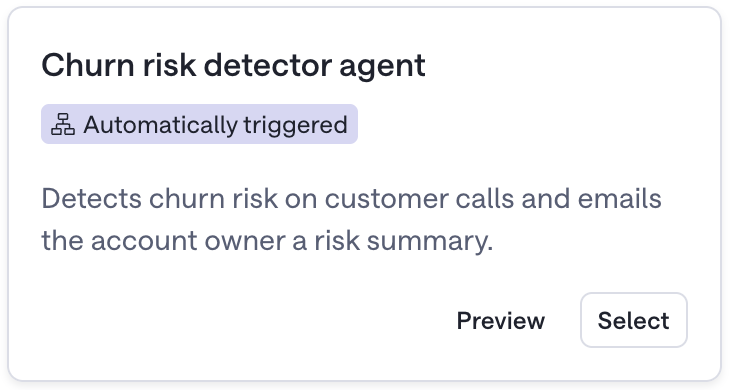
Template: Go to New agent and select the Retention category. Find the Churn risk detector agent template.
After you select the template, check the following:
Tracker: The template has no tracker selected, and Gong doesn't provide a churn risk tracker. Create one that matches how your company defines churn risk, and set it to cover calls with customers. Then click Select AI tracker and select it.
Recipient: The email goes to the account owner, and the chip reads Account Owner ID. To alert the CSM too, open Recipients, choose CRM role and select CSM.
Slack: The template sends an email only. To send a Slack message as well, add a Send a Slack message step.
Build it yourself
You can set these agents up yourself using the triggers and instructions provided.
Negative-sentiment alert
Flag calls that turn negative so the account owner can follow up.
Flag calls that turn negative so the account owner can follow up.
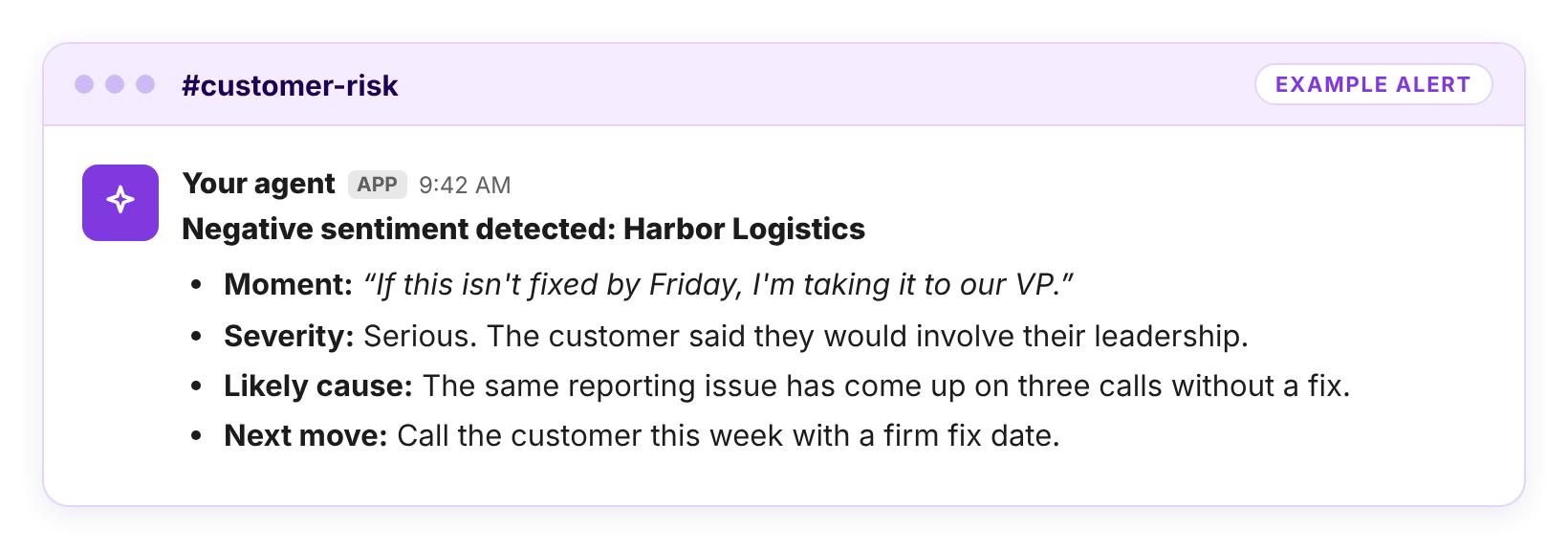
When a call turns notably negative, for example the customer complains, someone apologizes, or the conversation gets heated, the agent sends the account owner a short alert. The alert says what happened, with a quote, how serious it is, the likely cause, and a suggested next move. Mild frustration that passed quickly is labeled mild, so the owner can tell a bad moment from a real problem.

Trigger: An AI tracker that detects strong negative sentiment or an apology
Notify: The account owner, by Slack message
Example output: The alert the agent sends
Instructions to paste into the Generate with AI step:
Role: You are a customer-success assistant watching for strongly negative moments.

Use: the call or email that triggered this, plus limited CRM context. Do not assume access to fields, boards, or systems beyond that.

Produce: a short alert that a call turned notably negative or contentious, so the owner can follow up.

Focus on: what made the moment negative (frustration, a complaint, an apology from either side, a heated exchange), the exact quote or moment, and how serious it reads. If the negativity was mild or routine and passed quickly, say so plainly and do not raise it as a serious signal.

Severity rubric: "Serious" requires a stated intent to escalate, involve their leadership, or reconsider the relationship. "Mild" is frustration voiced and moved past within the same call.

Format: three or four bullets: what happened (with a short quote), severity (serious/mild), the likely cause, suggested next move. Under 60 words.

Tone: plain and direct, written for the account owner.

Don't: invent information not in the call or email; overstate the severity beyond what the quote supports; assume a cause the call does not show.
Escalation alert
Notify the account owner when a customer raises an urgent issue.
Notify the account owner when a customer raises an urgent issue.
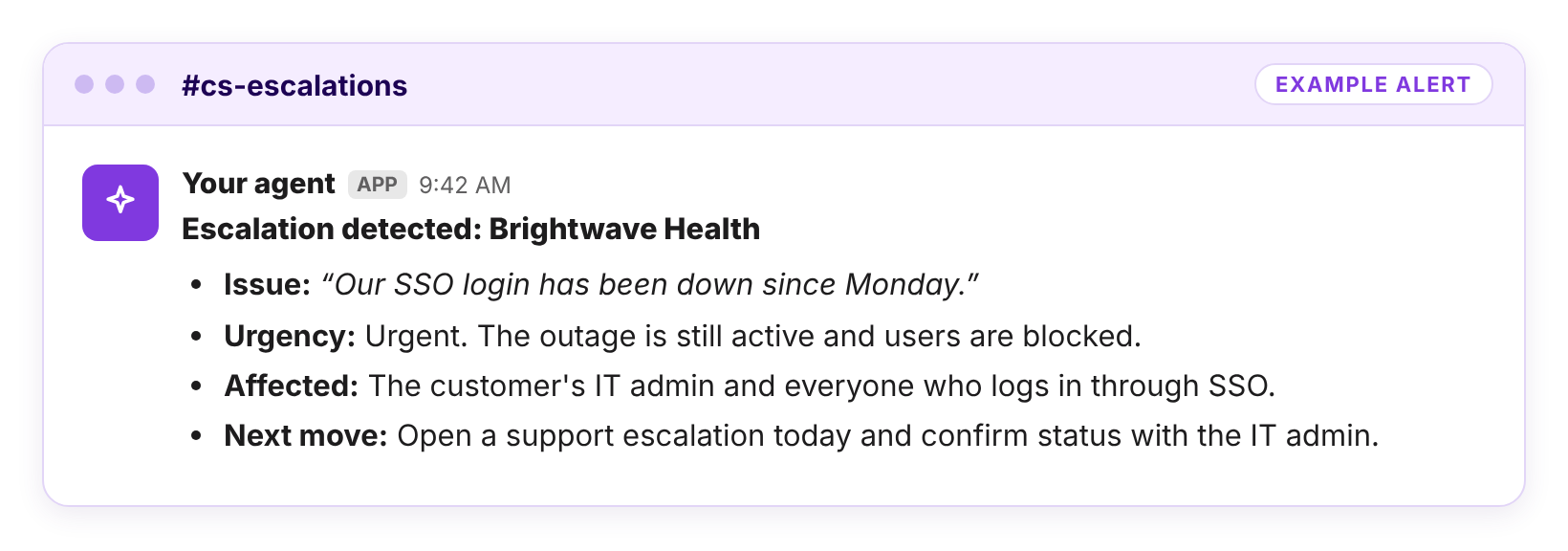
When a customer raises an escalation, an outage, a failed rollout, or a broken integration on a call, the agent sends a short alert with the issue, a quote, whether it is urgent, who on the customer side is affected, and a suggested next move. An issue that was resolved on the call is reported as not urgent.

Trigger: An AI tracker that detects an escalation, an outage, or an urgent operational issue
Notify: The account owner or a customer success channel, by Slack message
Example output: The alert the agent sends
Instructions to paste into the Generate with AI step:
Role: You are a customer-success assistant watching for escalations and urgent issues.

Use: the call or email that triggered this, plus limited CRM context. Do not assume access to fields, boards, or systems beyond that.

Produce: a short alert that the customer raised an escalation or an urgent operational issue, with what needs attention.

Focus on: what the issue is (an outage, a failed rollout, a broken integration, a service complaint, or an explicit escalation), the exact quote or moment, how urgent it sounds, and who on the customer side is affected. If the issue was raised and resolved on the call, say so plainly and do not raise it as open.

Urgency rubric: "Urgent" requires an active, unresolved impact stated on the call (a live outage, a blocked go-live). "Not urgent" is a past or resolved issue mentioned in passing.

Format: three or four bullets: the issue (with a short quote), urgency (urgent/not urgent), who is affected, suggested next move. Under 60 words.

Tone: plain and direct, written for the account owner.

Don't: invent information not in the call or email; overstate urgency beyond what the quote supports; invent an impact the customer did not describe.
Onboarding-risk alert
Warn the customer success owner when a new customer's launch is at risk.
Warn the customer success owner when a new customer's launch is at risk.
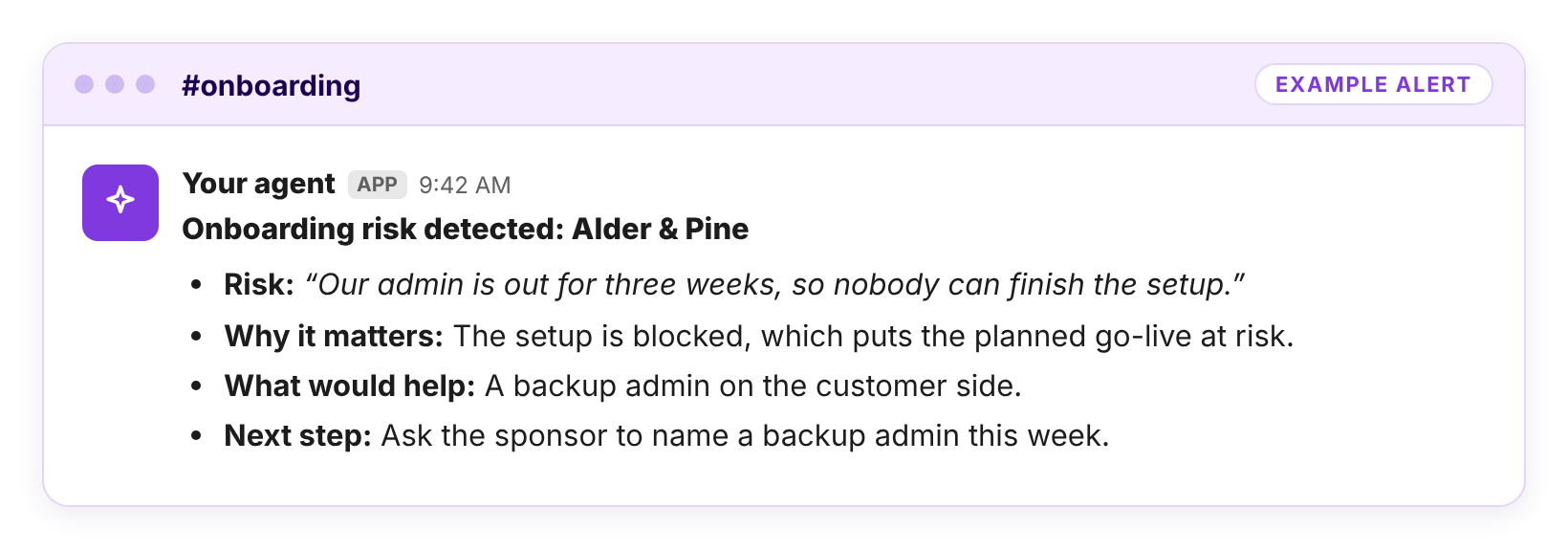
When a slipped milestone, a missing resource, a blocked integration, or a stakeholder who went quiet comes up on a call, the agent alerts the customer success owner with the risk, a quote, why it threatens the launch, and what would help. If the concern was minor or resolved, the agent says so instead of raising an alarm.

Trigger: An AI tracker that detects an onboarding or launch risk
Notify: The customer success owner, by Slack message
Example output: The alert the agent sends
Instructions to paste into the Generate with AI step:
Role: You are a customer-success assistant watching onboarding and launch health.

Use: the call or email that triggered this, plus limited CRM context. Do not assume access to fields, boards, or systems beyond that.

Produce: a short alert that an onboarding or launch risk surfaced, with a recommended next step.

Focus on: the risk to the onboarding or launch (a slipped milestone, a missing resource, a blocked integration, a stakeholder who went quiet), the exact quote or moment, and what would keep the launch on track. If the onboarding is on track and the concern was minor or resolved, say so plainly and do not inflate it.

Format: three or four bullets: the risk (with a short quote), why it threatens the launch, what would help, suggested next step. Under 60 words.

Tone: plain and direct, written for the customer-success owner.

Don't: invent information not in the call or email; assert a milestone or date the call does not state; overstate the risk.
Tip:
Looking for agents for other teams? The Custom Agents prompt library in Gong Academy has more agents, with instructions you can paste.